

How to Add a Guide Clip to Your Recording Link
Last updated July 21, 2026
Overview
A Guide Clip is a short explainer video that's embedded into the recording link, so contributors can view it before they record. It's a great way to share last-minute reminders about tone, attire, filming location, and more.
Record a Guide Clip
- Open story.
- Navigate to Add Clip.
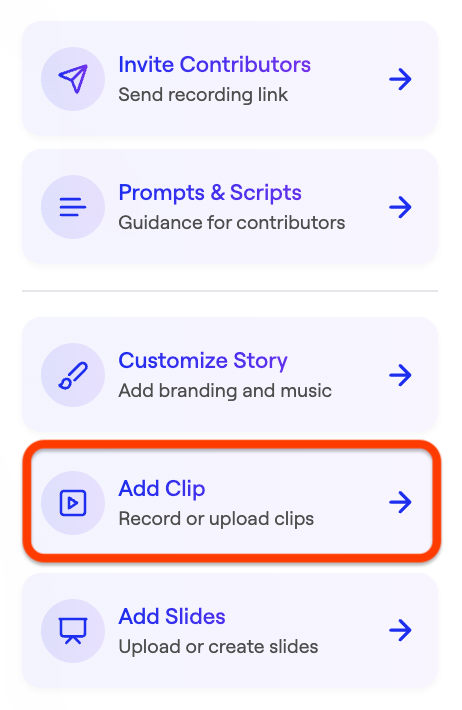
- Select Record a Clip.
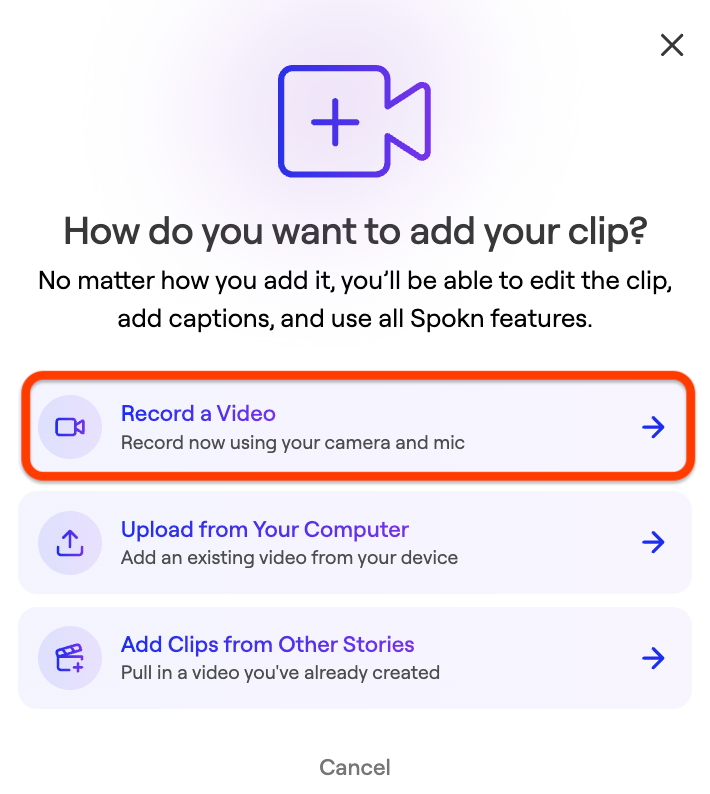
- Record a video explaining critical guidance.
- Save your clip
Set a Clip as a Guide Clip
- Click the three dot icon next to your clip.
- Click Set As Guide Clip.
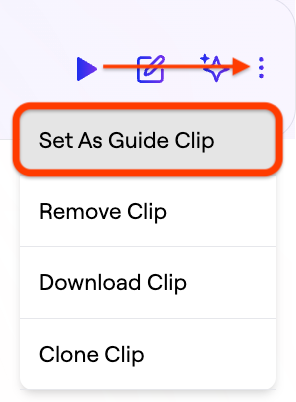
Contributors will see your guide clip embedded in their recording link, so they can watch it before they record.
What a Good Guide Clip Includes
- Proper framing and lighting
- The desired tone (formal, energetic, reflective)
- Guidance on any attire or filming location requirements
- Answers to any common questions (e.g. where the videos will be used)
Keep it under 30 seconds.
Was this article helpful?