

How to Use the Teleprompter
Last updated July 21, 2026
The teleprompter helps you stay on message and feel confident on camera.
To Use the Teleprompter
- Click into the teleprompter text box to add or edit script.
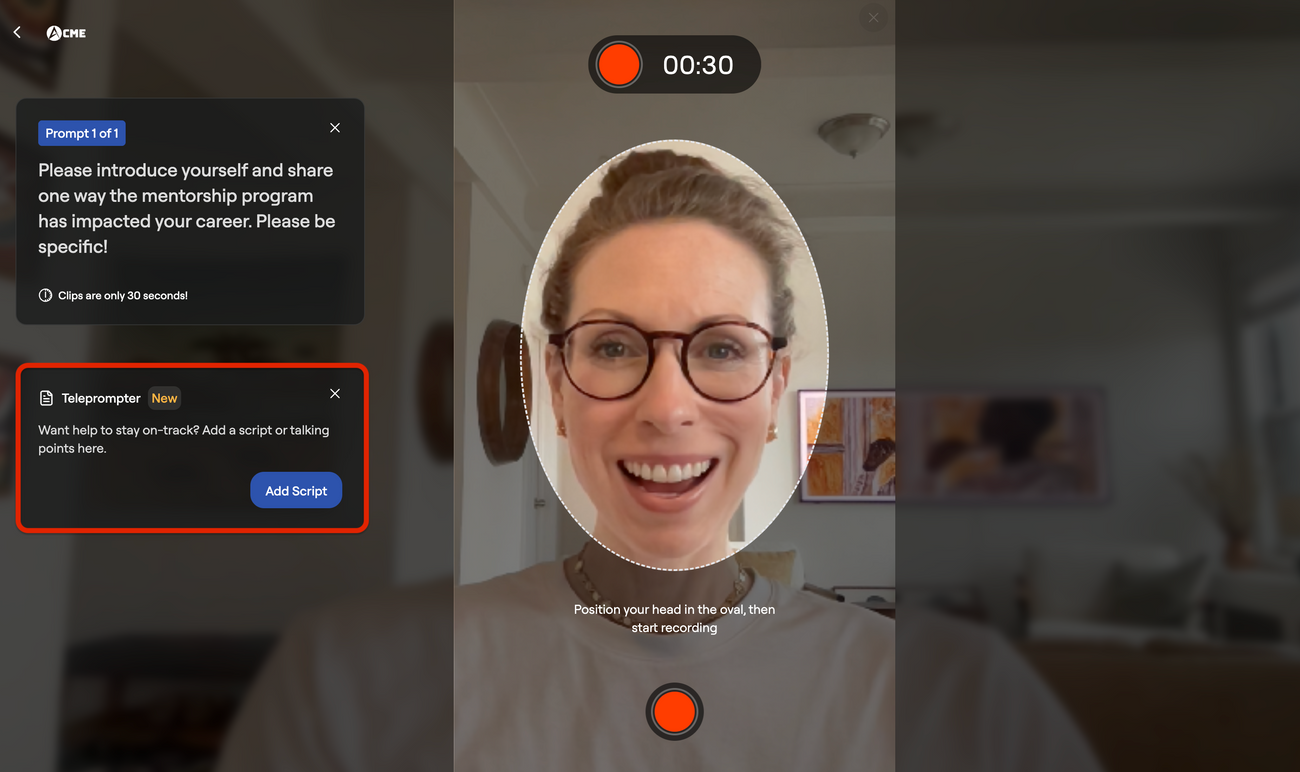
- Type your notes or full script.
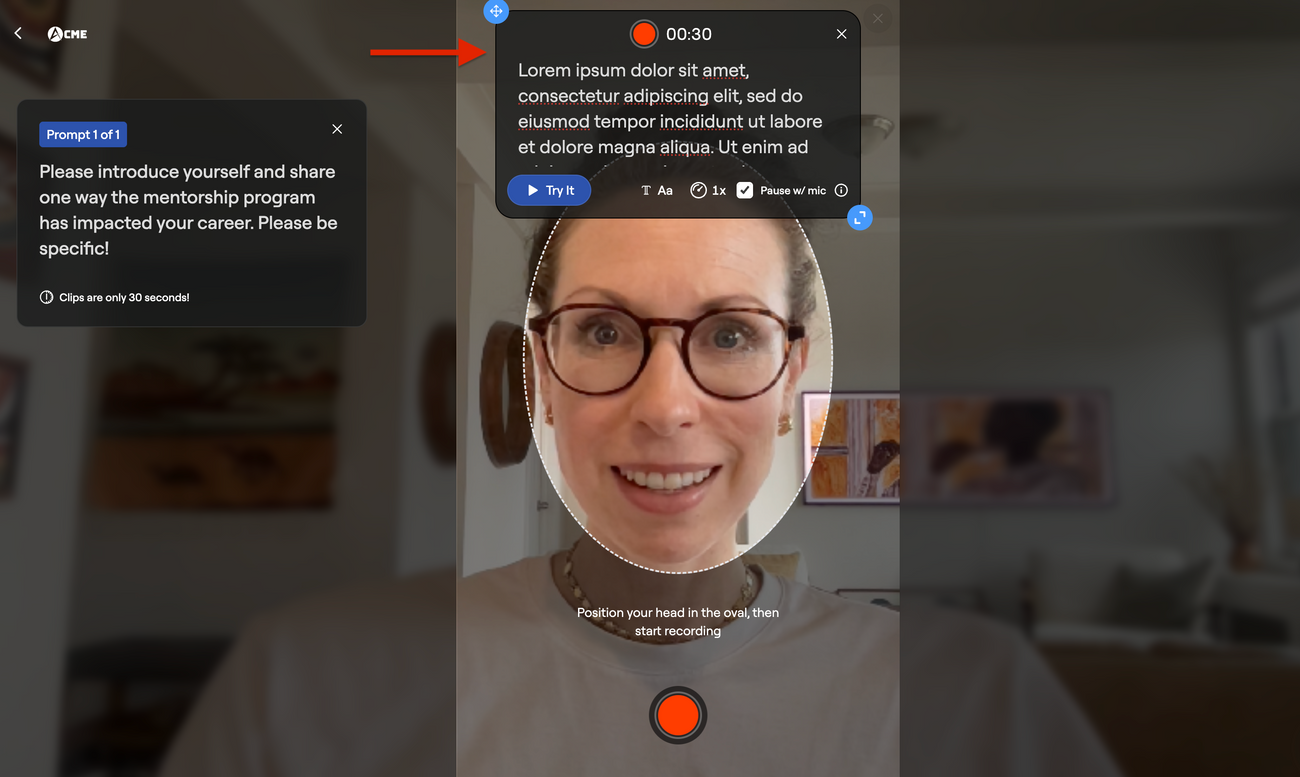
- Adjust:
- Teleprompter window size
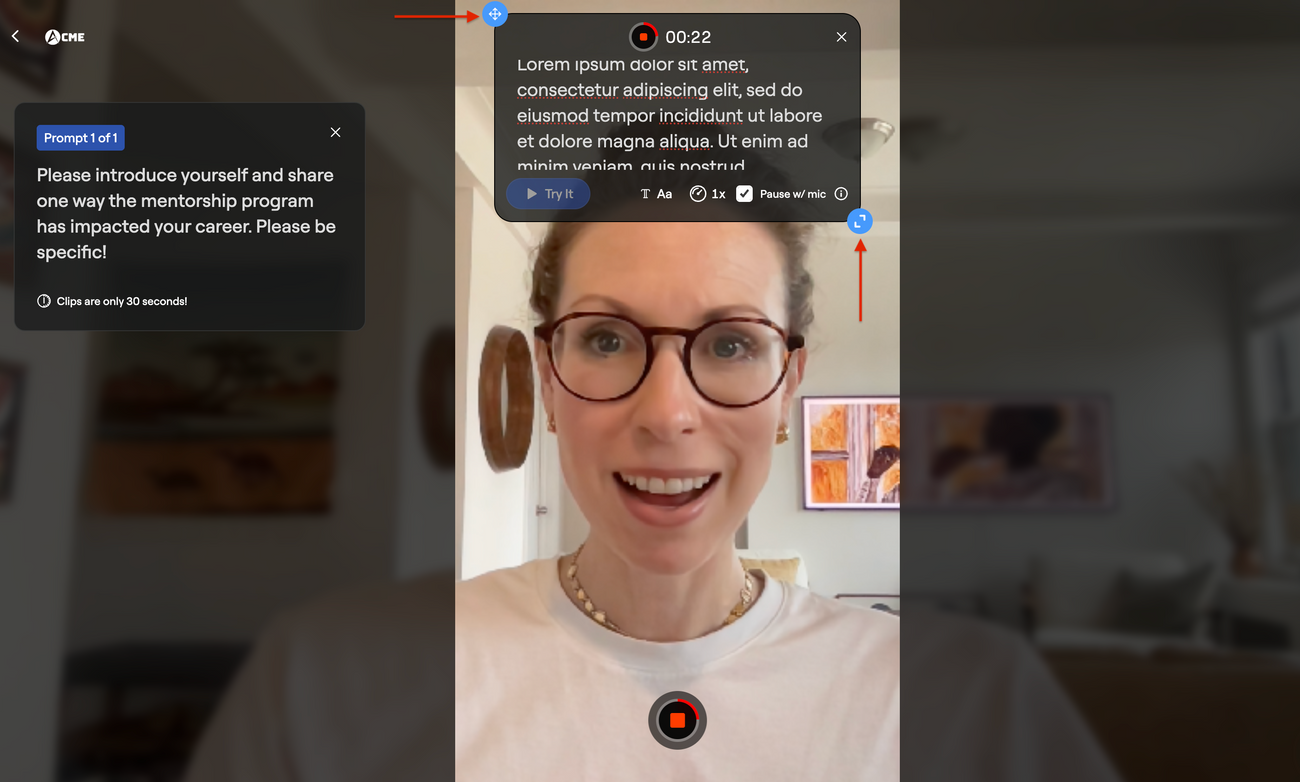
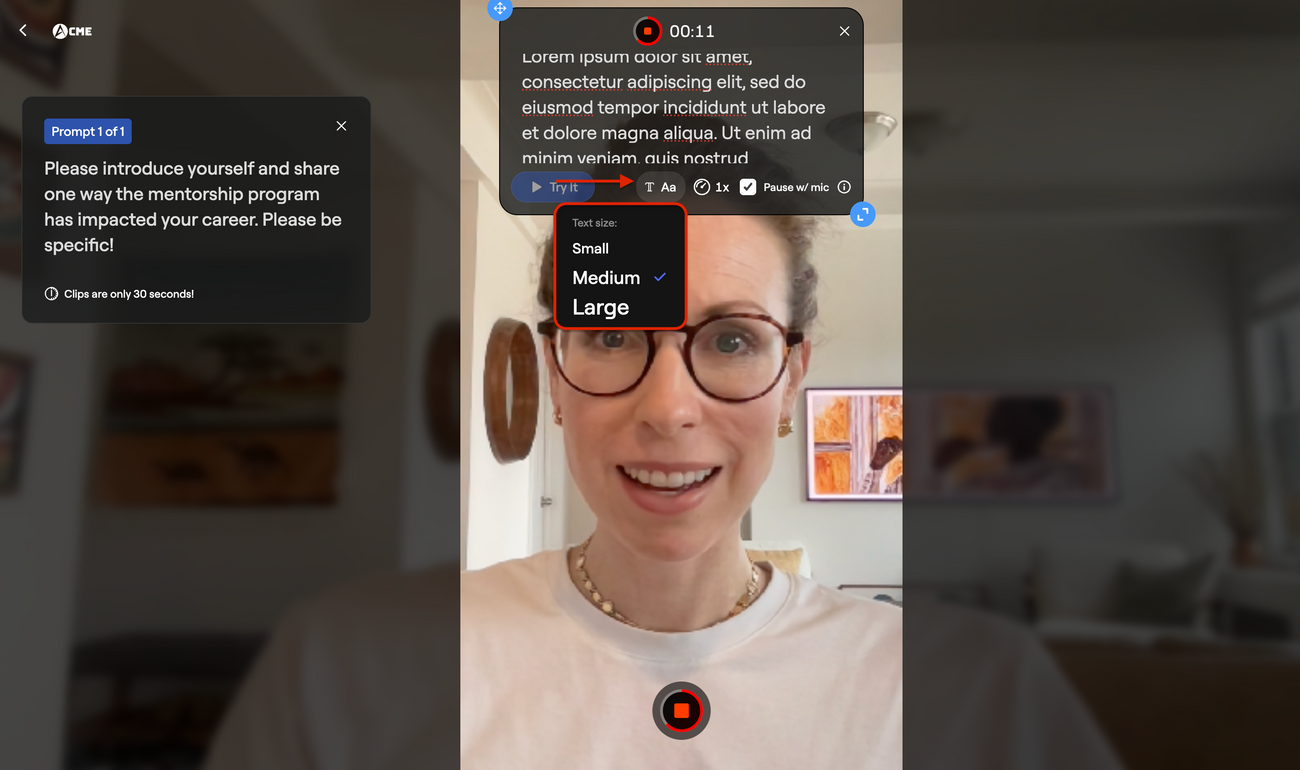
- Font size
- Scroll speed
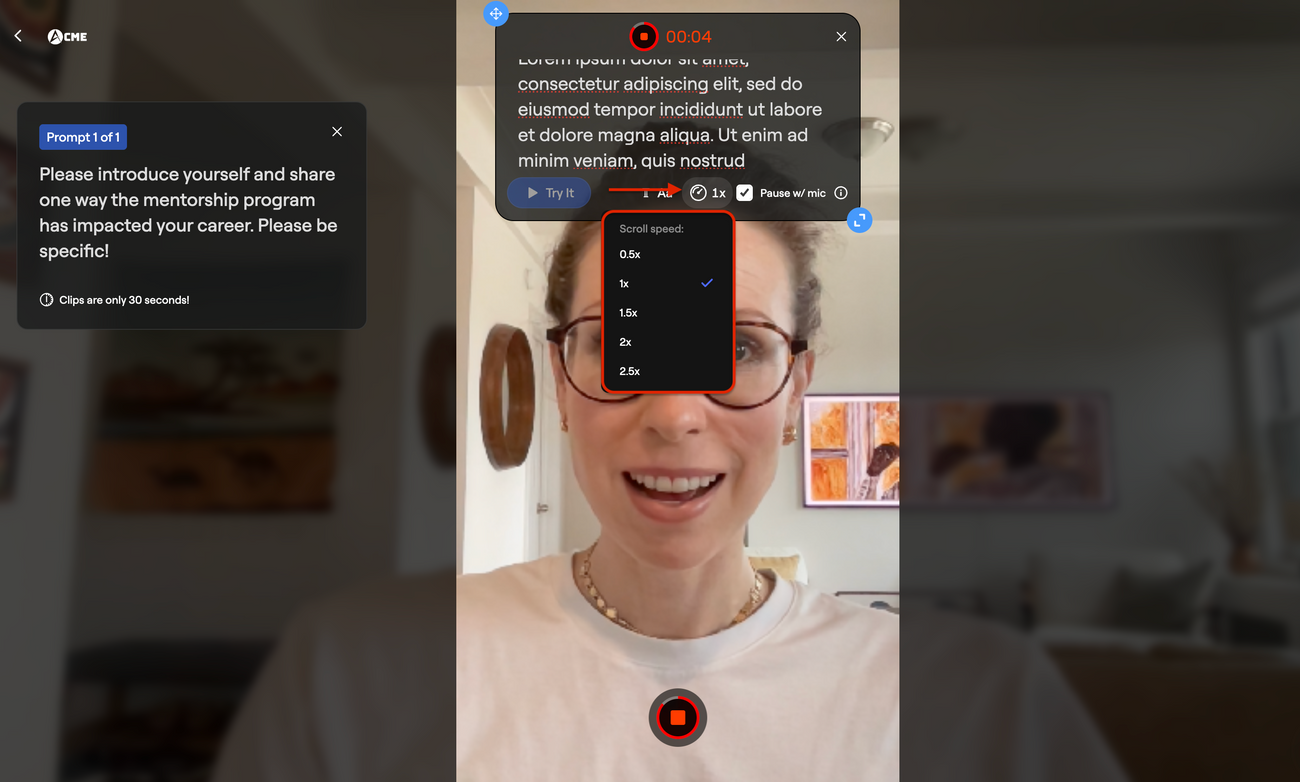
- Enable sync if desired (pause w/mic)
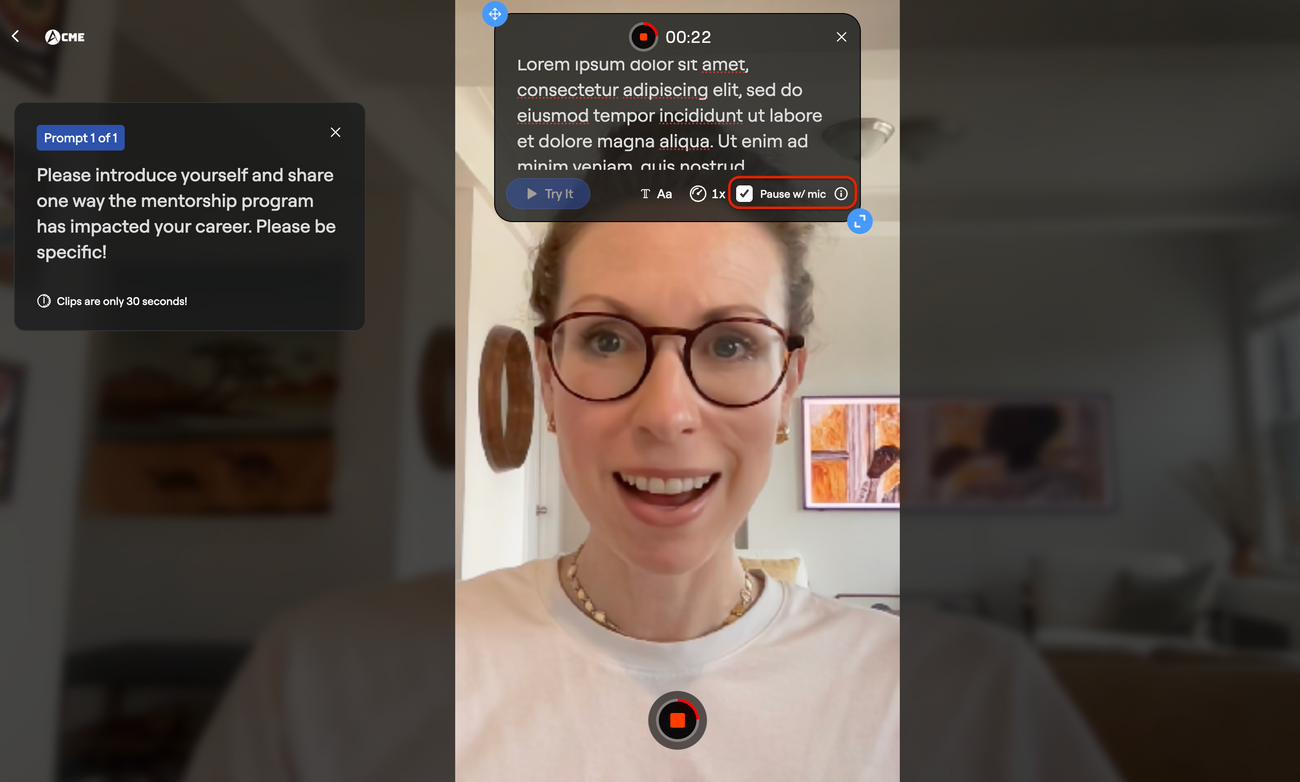
With mic sync enabled:
- The text scrolls as you speak
- If you pause, it pauses
- If you continue, it resumes
Because the teleprompter sits directly below your camera, it’s not obvious you’re reading.
💡 If using this feature, remove any line breaks from your script before recording to ensure the teleprompter advances properly.
Best Practices for Teleprompter Use
- Use bullet points instead of a full script if possible.
- Keep sentences short and conversational.
- Use contractions (ie, "we're" instead of "we are") to sound more natural
- Practice once or twice before recording to find the pace and intonation you like.
- Smile and maintain eye contact with the camera.
Was this article helpful?