

How to Edit Captions
Last updated July 21, 2026
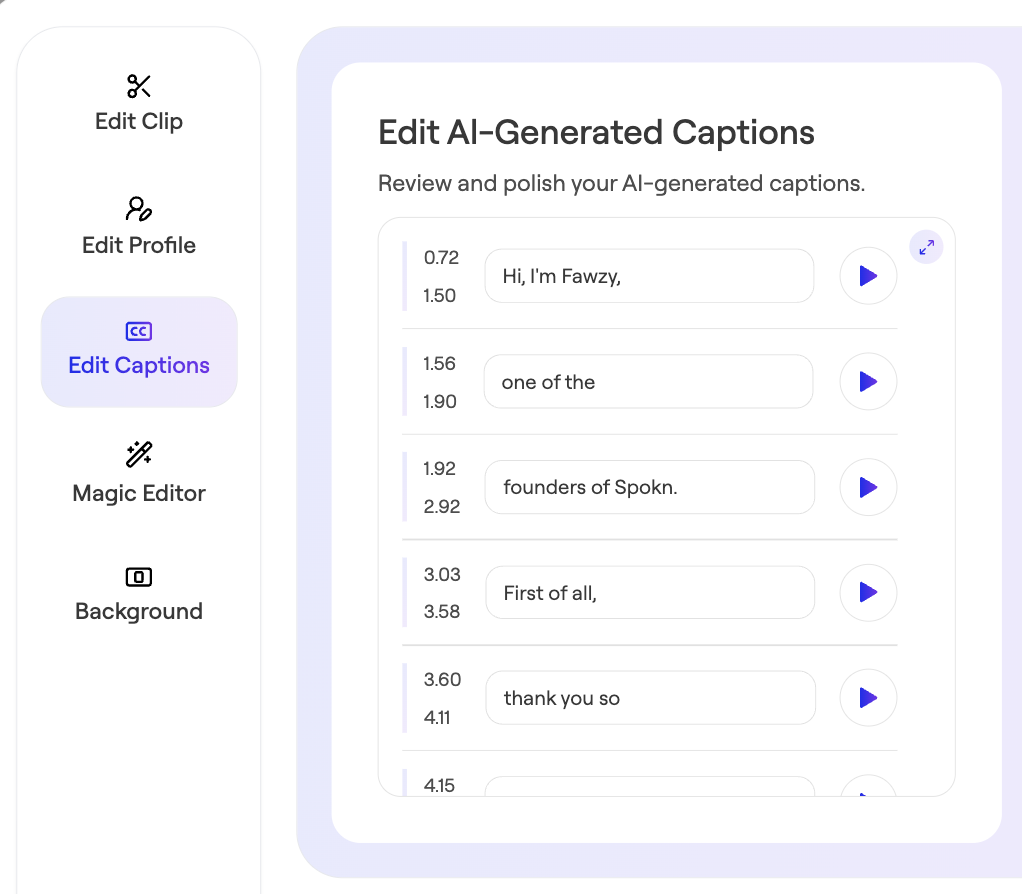
Spokn uses AI to automatically add captions to every video clip you collect. While the AI is very accurate, it occasionally misspells names or technical jargon. So, Spokn makes it easy to edit the captions directly.
⚠️ Important: To keep your captions in sync with your video content, it's best to edit your captions after you use the trim or Magic Editor functions on Spokn.
Edit Captions
- Open your story.
- Click the Edit Clip icon next to the clip whose captions you want to edit.

- Edit captions as needed.
- Save changes.
Was this article helpful?