

Smart Background Editing (Premium Feature)
Last updated July 21, 2026
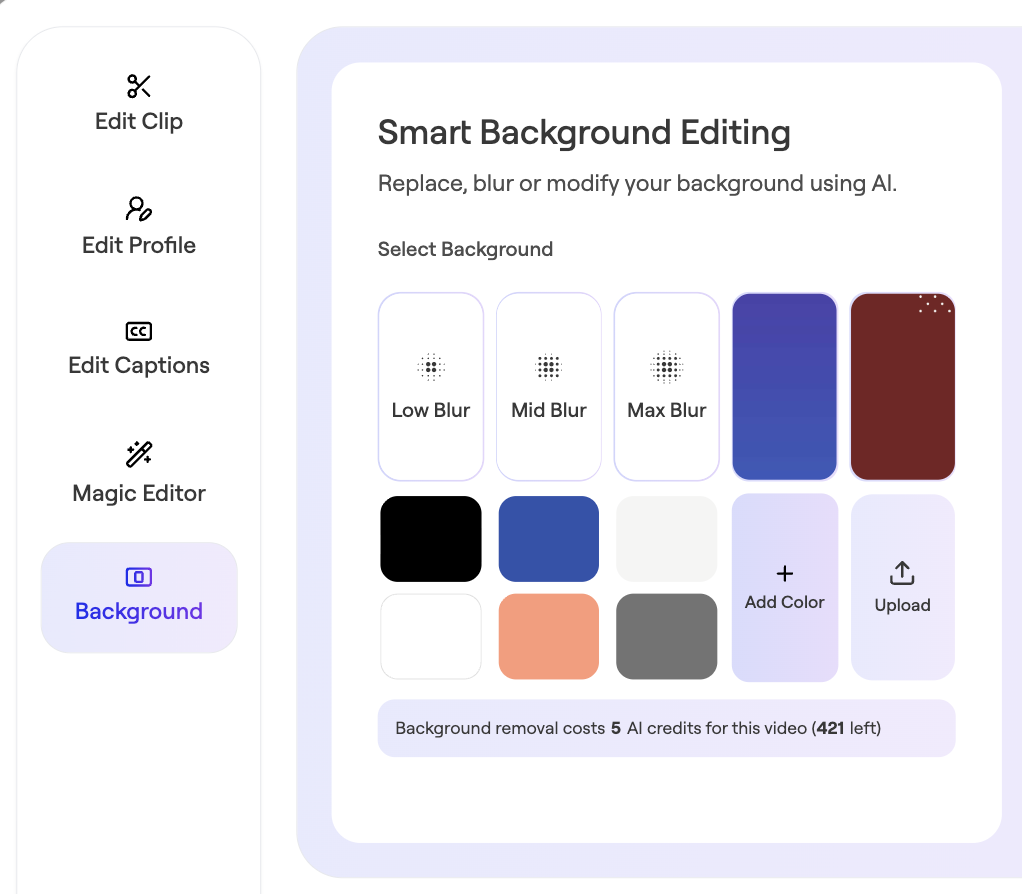
Smart Background Editing provides options for making the your contributors' videos look more consistent or aligned with your company brand. It helps contributors feel more compfortable recording even if they do not have the perfect backdrop.
It can also hide sensitive data that may have accidentally been included in the frame while your contributor recorded.
How to use Smart Background Editing
To edit the background, click the 'Edit' tool next to the clip in question:

Click Background → Choose blur, add color, or upload a background → Click Apply:
A note on authenticity
It can be tempting to seek uniformity and perfection by replacing or blurring all backgrounds. But items in the background on a video can humanize the subject. Do not overlook the value of this authenticity - especially if your goal is to build trust, connection or credibility.