

Audio Dubbing (Premium Feature)
Last updated July 21, 2026
Audio Dubbing allows you to create versions of your video in different languages by replacing the original spoken audio with a translated voiceover.
This makes it easy to share the same message with global audiences — without needing to re-record your video.
What Audio Dubbing does
Audio Dubbing replaces the original voice track in your video with a new version in another language, while keeping the visuals the same.
- Voice tone - the dubbed audio sounds identical to the speaker's original voice
- Lip sync - AI moves the speaker's lips to match the new language, making it look natural
With Audio Dubbing, you can:
- translate your video into multiple languages
- make content accessible to global teams
- maintain a consistent message across regions
- avoid recording the same video multiple times
How to use Audio Dubbing
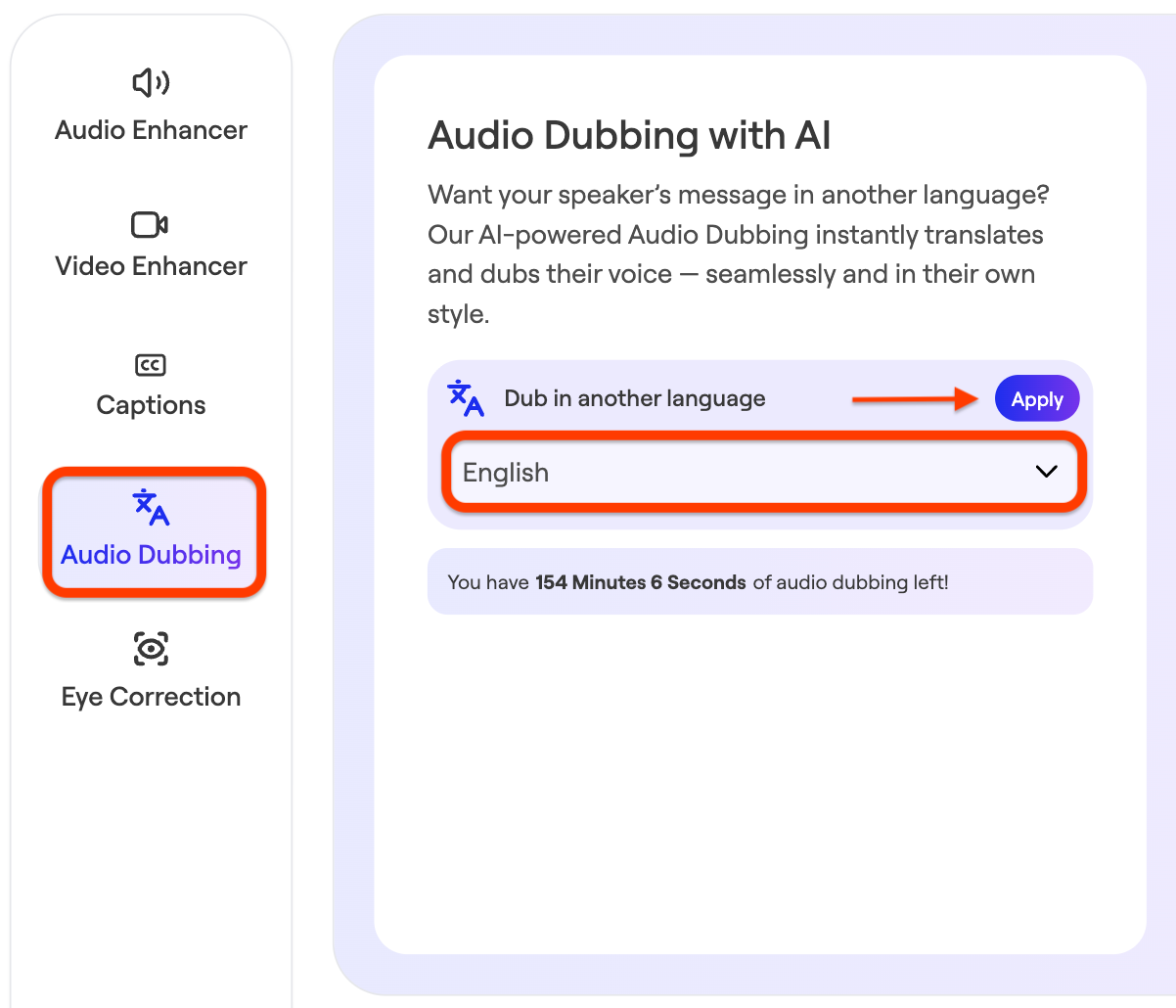
To use Audio Dubbing click the 'AI Enhancement' tool next to the clip in question:

Click Audio Dubbing → Choose the language → Click Apply:
When to use it
Audio Dubbing is especially helpful when you:
- are sharing content with global or multilingual teams
- need to localize training or onboarding content
- want to reuse a single video across regions
- are communicating company-wide updates
Examples
You might use Audio Dubbing for:
- onboarding or training videos
- leadership updates
- company announcements
- learning and development content
Dubbing helps remove language barriers so your message can reach more people effectively.
What to expect
Audio Dubbing generates a new audio track that aligns with your original video’s timing and flow.
In most cases:
- the pacing will closely match the original
- the tone will reflect the original message
- the experience will feel natural for the viewer
Unlike subtitles, dubbing allows viewers to listen in their own language without needing to read on screen.
Tips for best results
- Speak clearly when recording your original video
- Avoid overlapping speakers where possible
- Keep messaging simple and easy to translate
- Review the dubbed version before publishing
Supported Languages
Audio dubbing supports approximately 25 languages for translation.
A note on translations
Audio Dubbing is designed to help you scale your content quickly, but it’s always a good idea to review translations — especially for nuanced or company-specific language.