
Sharing Your Completed Video Story
Last updated July 21, 2026
This guide explains how to lock your story and share it in the format that best supports your goals:
- MP4: for playing in intranets, LMS, Teams/Slack, digital signage, social media
- Public link: for sharing via email, SMS, or QR code
- Private link: for sharing via email, SMS, or QR code - requires viewer to first log in with SSO
Step 1: Lock Your Story
When you lock your story, you temporarily freeze the content. You can always unlock it and make further edits.
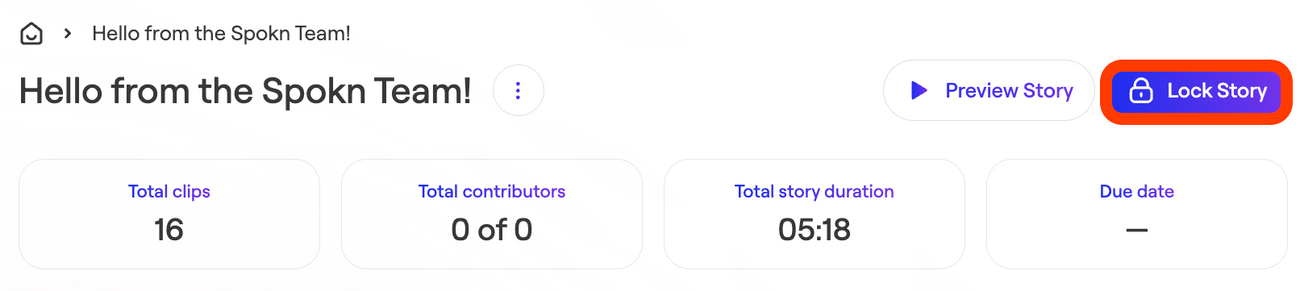
- Open the story you want to finalize and publish
- Click Lock Story (top right)
- Confirm
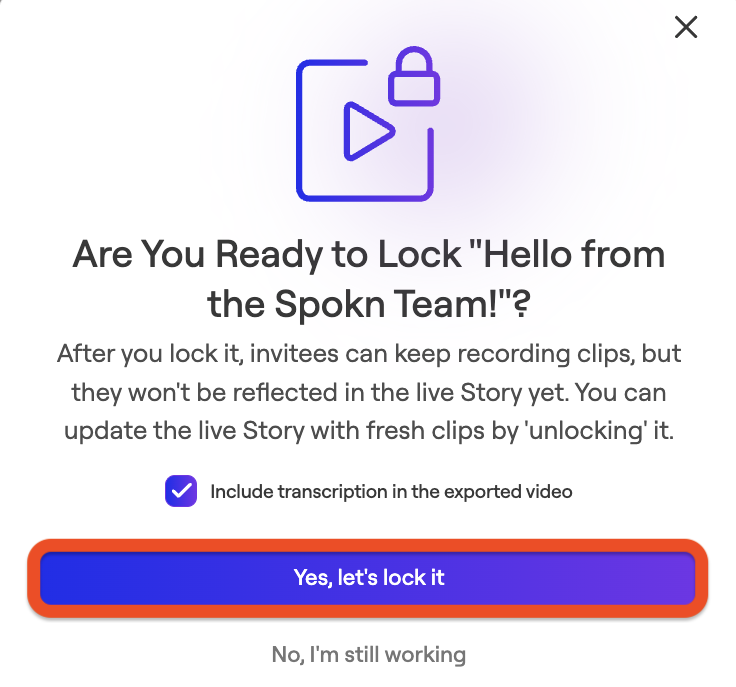
Once locked:
- Editors can view the story but cannot make changes
- Media, captions, branding, and order are frozen
- The story can be shared or downloaded
If updates are needed later, the story creator or an admin can unlock it.
Step 2: Choose How to Share Your Story
Select whether you want to download your video Story as an MP4 file, or share it as a public or private link.
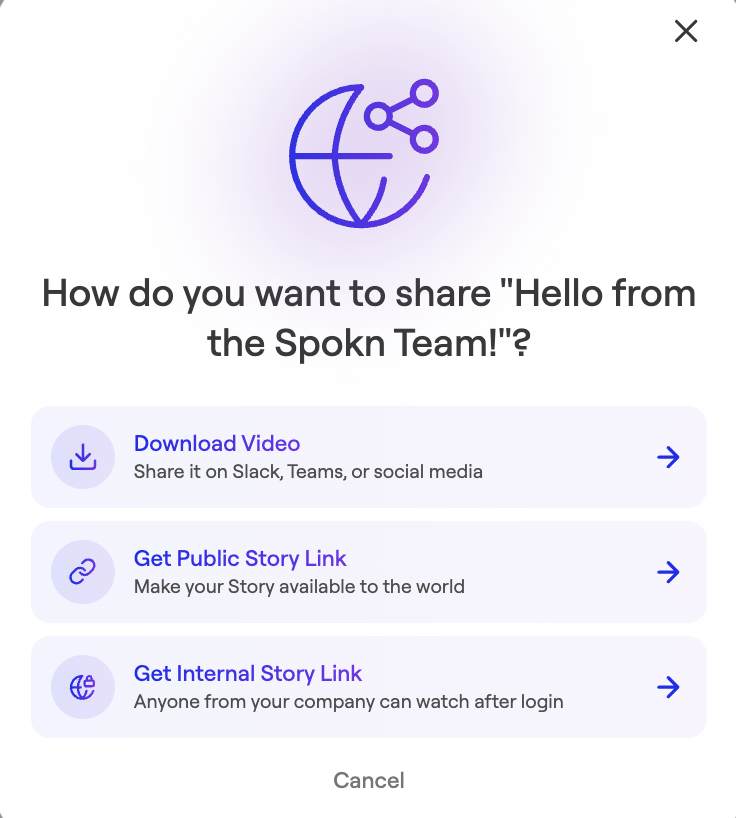
Available Download Formats
1. MP4 Video File
This is the most commonly-used format because it enables the video to be play directly within your existing enterprise systems:
- Intranet or Sharepoint
- Learning Management System
- Email or Slack channels
- Social media uploads
- Digital signage
- Powerpoints
2. Public Link
This link is hosted directly on Spokn and lets anyone who clicks it watch the video immediately — no login required. It's the best option when you need a link (not an MP4) and want zero friction for the viewer:
- Newsletters
- Pre-onboarding communications (before new hires have system access)
- Candidate/hiring process content
- External partners or community volunteers
- Sharing with non-employees
3. Private Link
Also hosted on Spokn, but this link forces viewers to authenticate through your company's SSO before they can view the content. It's high-friction by design, so it's typically reserved for sensitive or proprietary content that must stay restricted to logged-in employees:
- Proprietary or confidential internal content
- Highly sensitive executive comms
- Situations where you need to guarantee only authenticated employees can view
Note: Most customers still default to downloading the MP4 or using a public link, since the SSO requirement on private links can create a lot of friction for viewers.
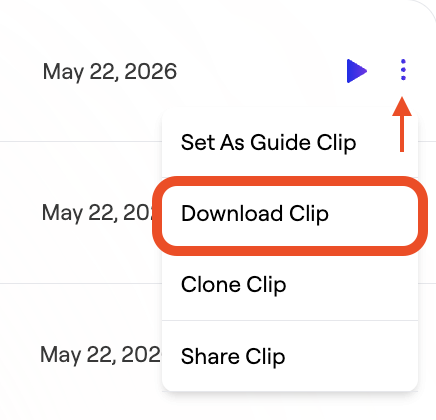
4.Downloading Individual Clips
In addition to downloading the fully-designed video story, you can also download individual clips. This is often used by media or video production teams who may want to edit the videos in professional video editing software.
FAQs
Can I unlock a Story after locking it?
Yes. A story Owner or Workspace Admin can unlock it at any time from the Lock Story option.
What resolution are the videos users download from Spokn?
Downloads are rendered in high resolution (1K Maximum) and optimized for digital distribution.